The Best Kajabi Templates for Your Online Course (2026)
Jul 16, 2026
When you build an online course in Kajabi, you get a solid course environment by default. Your lessons are neatly grouped, students can navigate through your course, and you don't have to code anything yourself.
But is the standard Kajabi template still the best choice in 2026?
That mostly depends on your course.
For a relatively small, linear course, Kajabi's standard template can still work perfectly. But as soon as your course grows, you offer more different types of content, or you want to guide your students more actively, you quickly notice there's a lot more possible.
This article focuses on course templates. For website, blog and sales page templates, see the ultimate guide to Kajabi templates.
In recent years, several free and paid Kajabi templates have also appeared that not only change the look of your course but also add new functionality.
I've been working with Kajabi since 2014 and develop templates for it myself. So in this article I compare the most important Kajabi templates for online courses in 2026:
- The standard Kajabi course templates
- Free Kajabi templates such as Gamify Lite
- Premium Kajabi templates from external developers
- Gamify Pro and GamiFlix
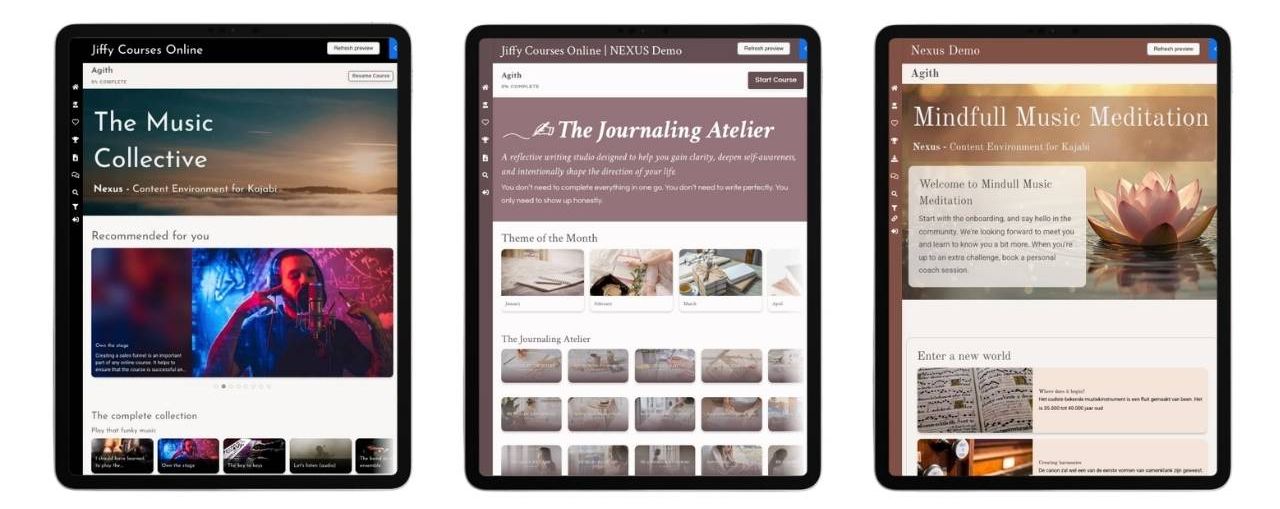
- Nexus: a course environment that adapts to your student's progress
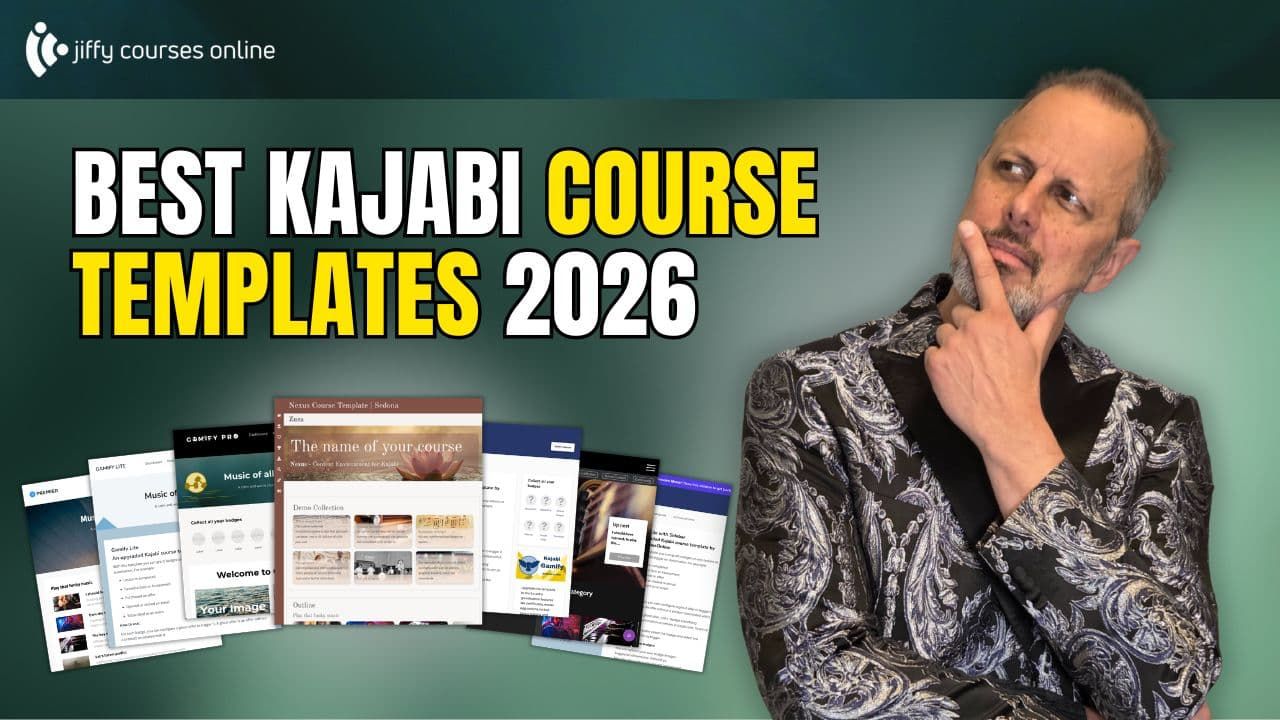
Would you rather see what the different templates actually look like and how they work? In my video I compare the templates directly inside Kajabi and also show in detail how Nexus works.
First things first: a Kajabi template doesn't change your course
In short: your course content and your Kajabi template are separate from each other. To understand the rest of this article, that's the most important thing to know.
Your course roughly consists of two parts.
The first part is your course outline. These are your modules, lessons and the content of your course.
The second part is the course template. It determines how your course is displayed to your students.
You can think of a Kajabi template as a layer placed over your existing course.
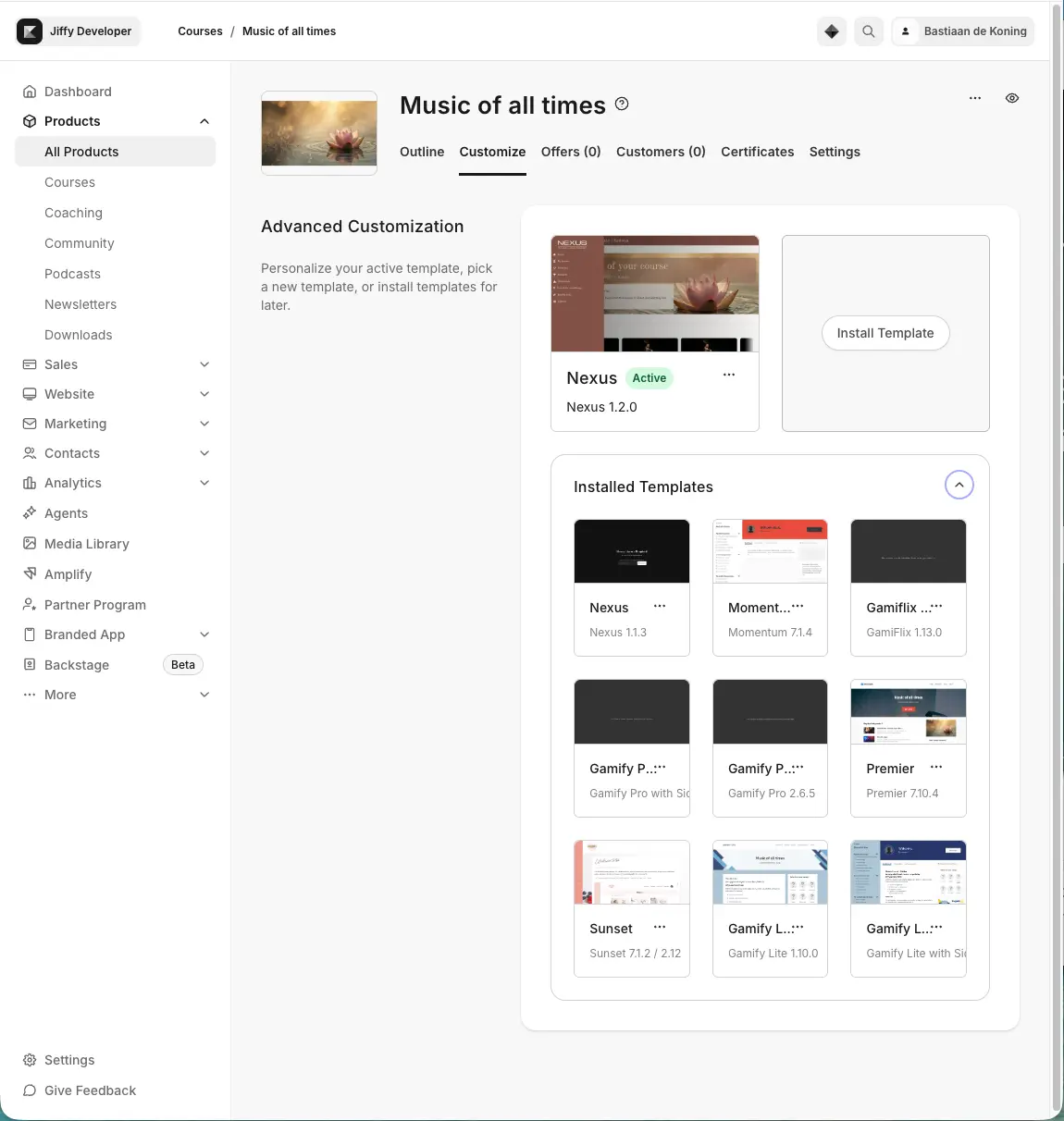
That means you can install and try another template without any problems. Your modules and lessons simply stay in place.
Even if you install a premium Kajabi template from an external provider, you don't have to rebuild your entire course.
And if you don't like a template? You can always go back to a previously installed template.
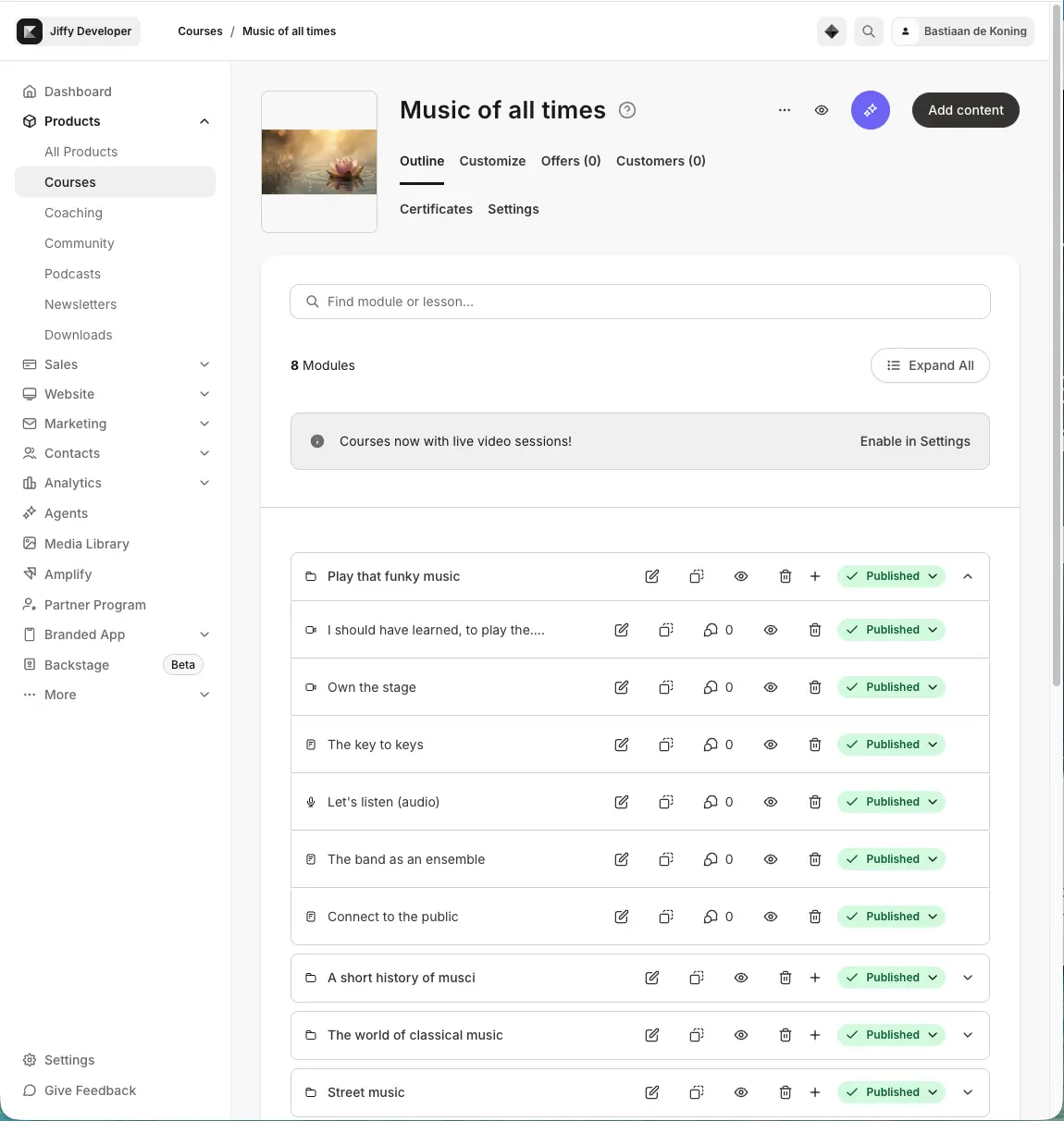
The standard Kajabi course template: Premier
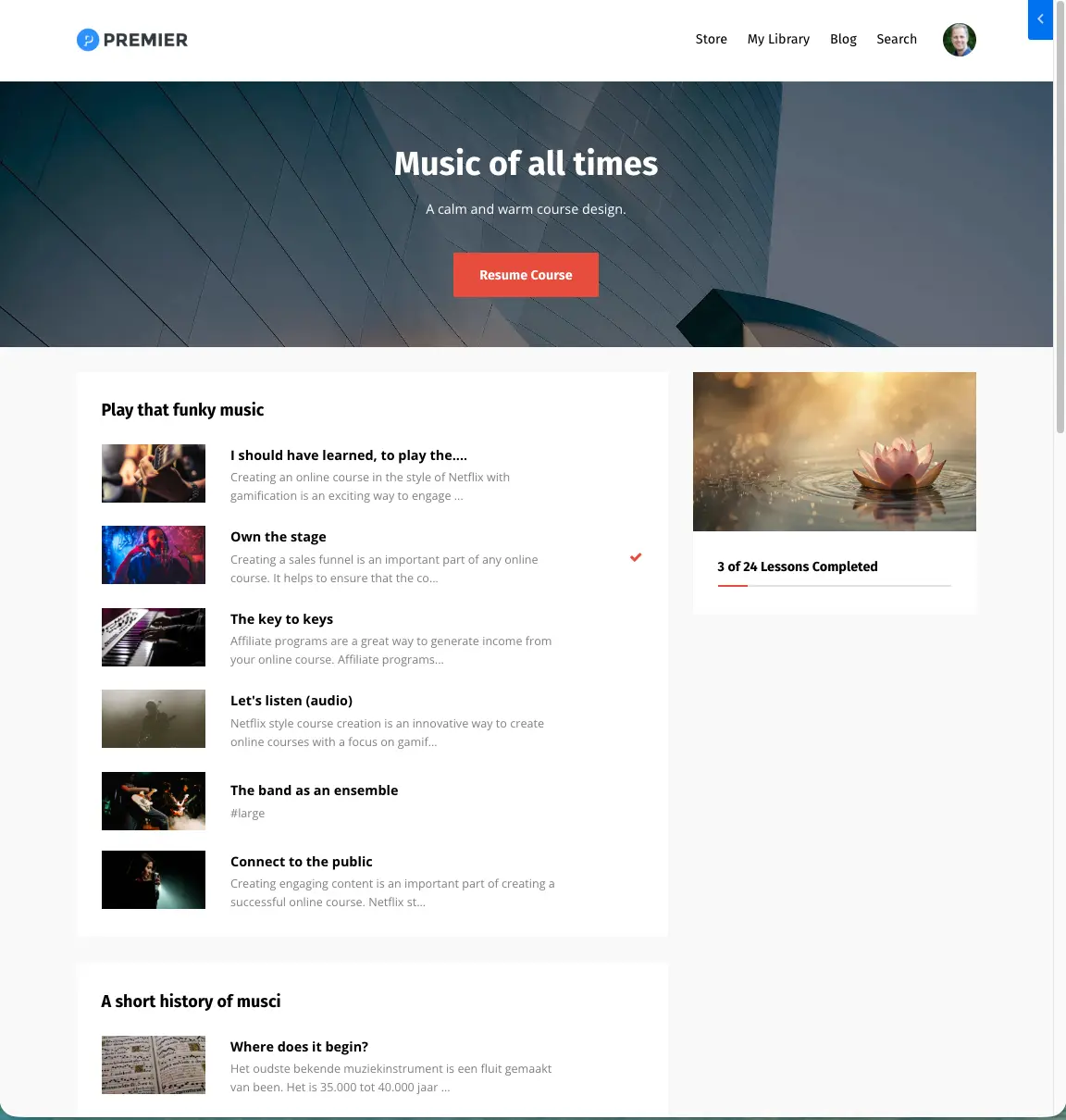
For a regular online course, Kajabi uses the Premier template by default. Premier has existed for years and does exactly what you'd expect from a simple course environment.
You can place an image at the top of the course, add your logo and adjust colors. Below that, students see the modules and lessons of your course. You choose whether to show the full course structure right away or first only the modules. For a small or clear course that works fine. The big advantage is simplicity. Students immediately understand how the course works and you barely have to set anything up. But that simplicity is also the limitation.
When your course consists of dozens of modules or hundreds of lessons, a long list of content isn't automatically the most pleasant way to guide students through your program.
Premier mainly shows what's in your course. The template takes much less account of where your student currently is in the course.
Who is Premier suitable for?
Premier is mainly a good choice when:
- You have a relatively small course
- Your course has a clear linear order
- Students mostly go from lesson 1 to lesson 2 to lesson 3
- You need little extra functionality
For many starting Kajabi users, there's nothing wrong with that at all.
Momentum: the standard template for Kajabi cohort courses
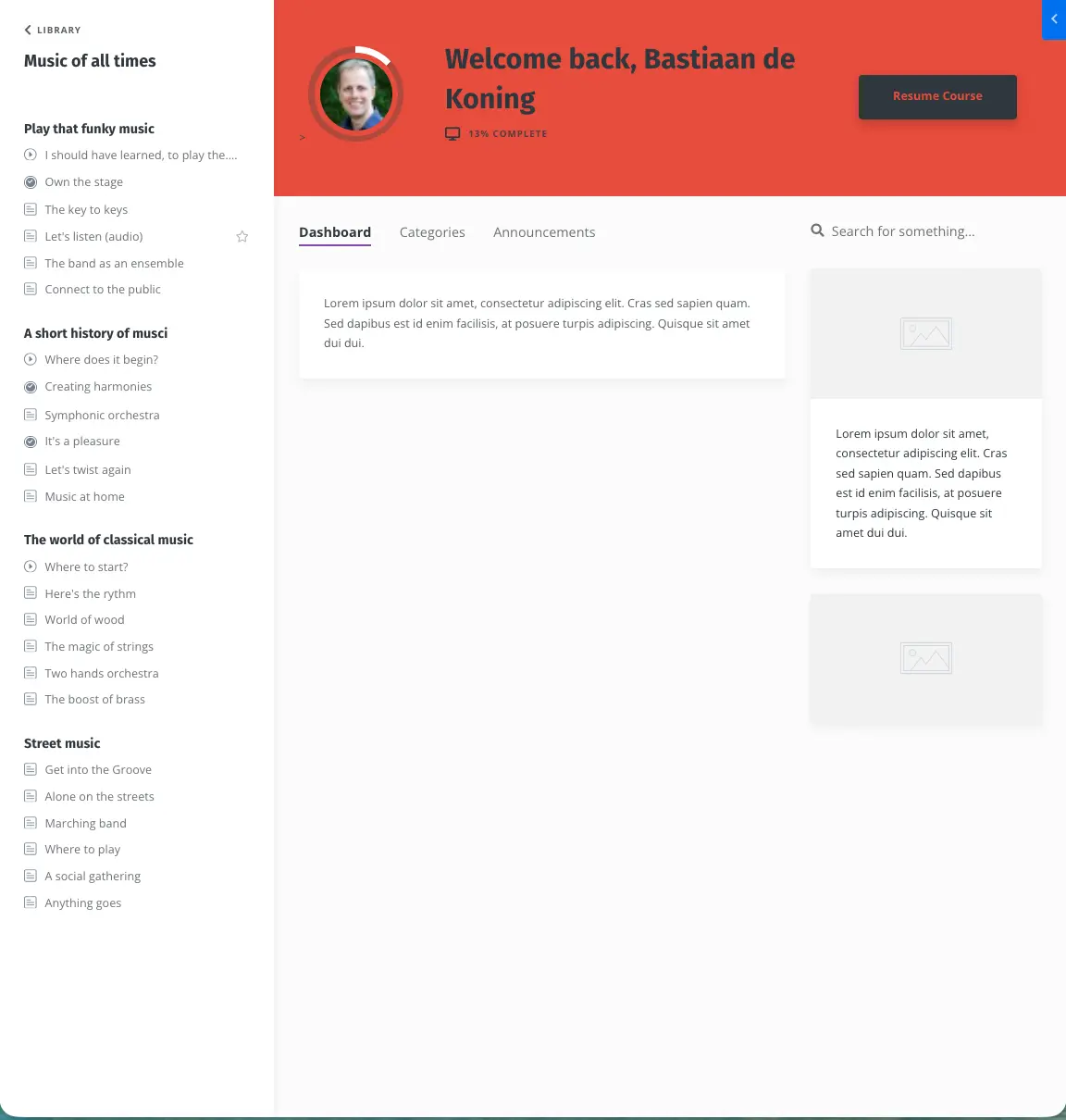
For cohort courses, Kajabi uses the Momentum template by default. Momentum works differently from Premier.
The course navigation sits on the left and students get a dashboard where you can place, for example, a welcome video, an explanation or other information. That gives you a bit more room to structure your course environment. The dashboard itself, however, stays static. A student logging in for the first time sees essentially the same dashboard as a student who has nearly finished the whole course. That's an important difference from the more advanced Kajabi templates I discuss further on.
Other free Kajabi templates
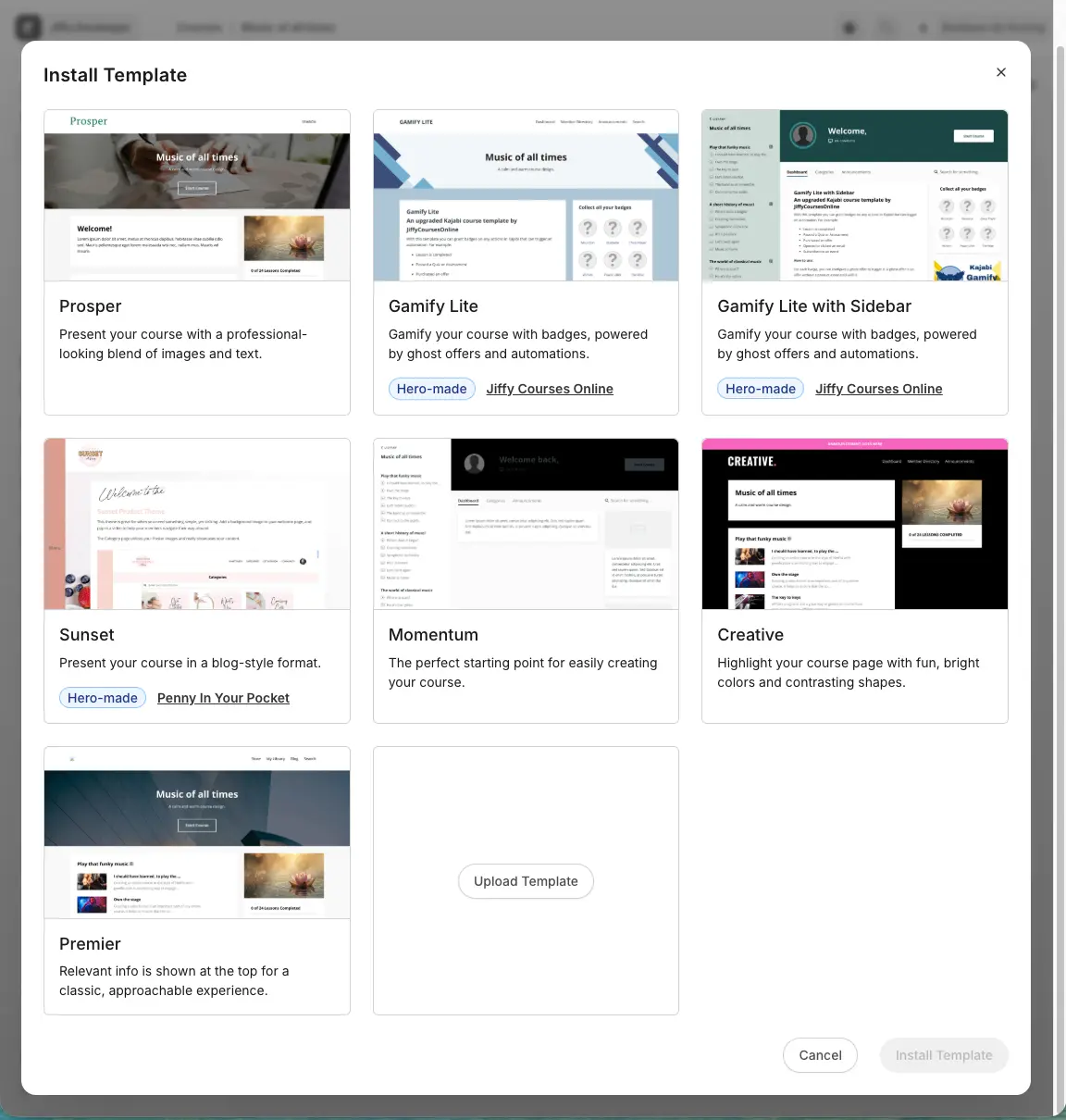
When you go to Install Template inside Kajabi, you'll find several other templates besides Premier and Momentum.
Prosper and Creative are mainly variants of the Premier template. They give you a different visual starting point but don't fundamentally change how your course works.
More interesting are the so-called Hero Made templates: templates made by external Kajabi developers and then made available inside Kajabi itself.
There you'll find, among others, Gamify Lite, Gamify Lite with Sidebar and Sunset.
Gamify Lite
Gamify Lite we developed ourselves. The template is based on Premier but adds badges.
You let students earn badges during your course and show them in their course environment.
That's an easy way to add a first form of gamification to an existing Kajabi course. Gamify Lite is available for free inside Kajabi; you'll find the tutorials and updates with us at JiffyCoursesOnline.
Gamify Lite with Sidebar
This template combines the same badge functionality with a course layout more like Momentum, including side navigation.
Sunset
Sunset was developed by Penny in Your Pocket and has a different look than the standard Kajabi templates.
An important difference is the collapsible navigation on the left. It lets you present the course structure more clearly, without it constantly taking up a large part of the screen.
These free Kajabi templates are mainly interesting when you want a bit more than the standard Kajabi environment but don't yet need an extensive premium course template.
What is the difference between free and premium Kajabi templates?
The most important distinction isn't the price, but what a template does: does it mainly change the design, or does it also add real functionality?
By now there are several providers of premium Kajabi course templates online.
Many Kajabi templates you can buy online are basically a modified version of an existing Kajabi template.
There's nothing wrong with that. When you're mainly after a nice, professional look that fits your brand, such a template can be exactly what you need.
But technically the course still works largely the same.
Other templates go further and add features that aren't available in Kajabi by default.
That's exactly the area we've focused on at JiffyCoursesOnline for years.
Want to see the different premium templates we've developed for Kajabi? Check out the overview of Kajabi templates.
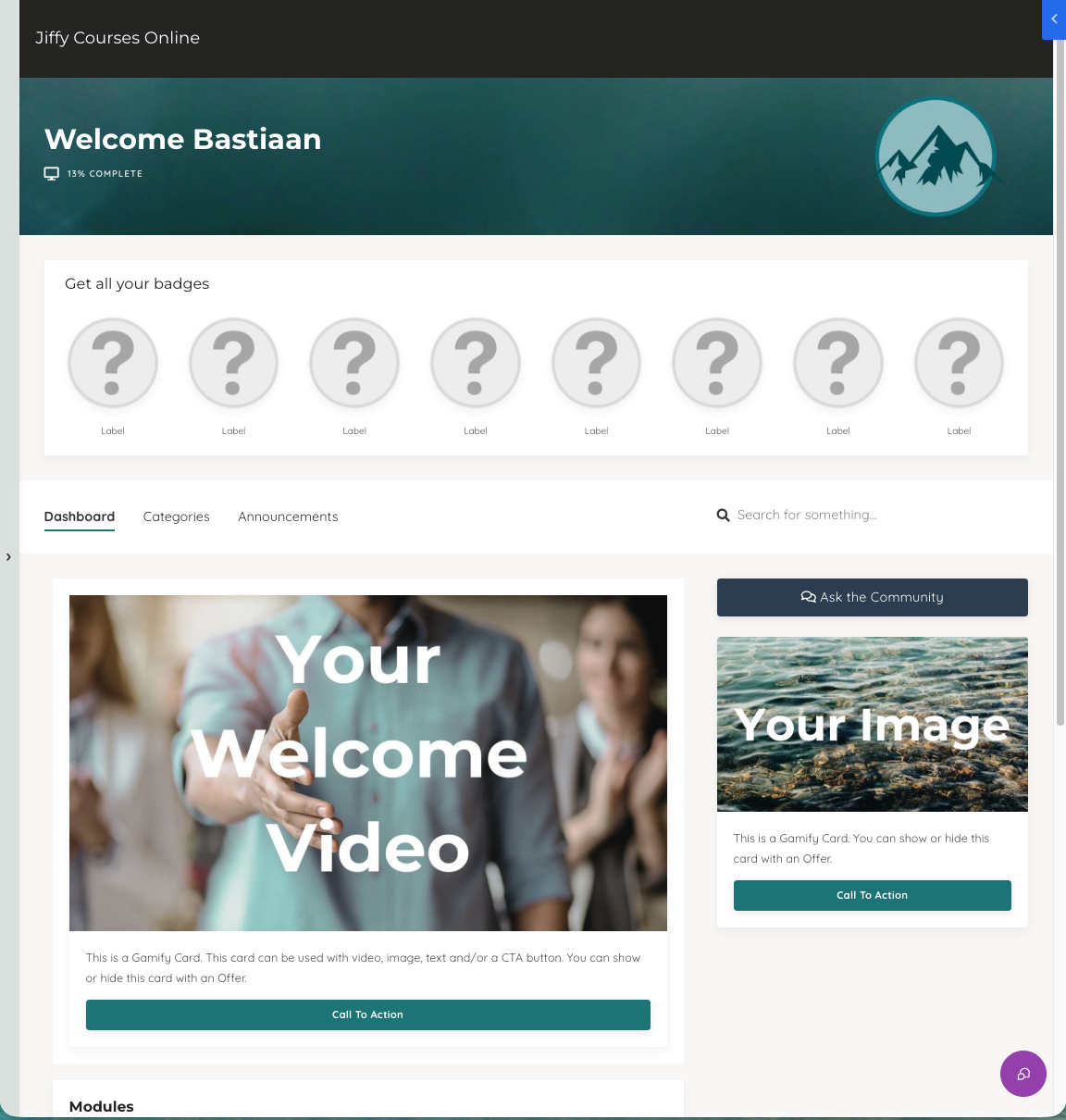
Gamify Pro: more motivation and gamification in your Kajabi course
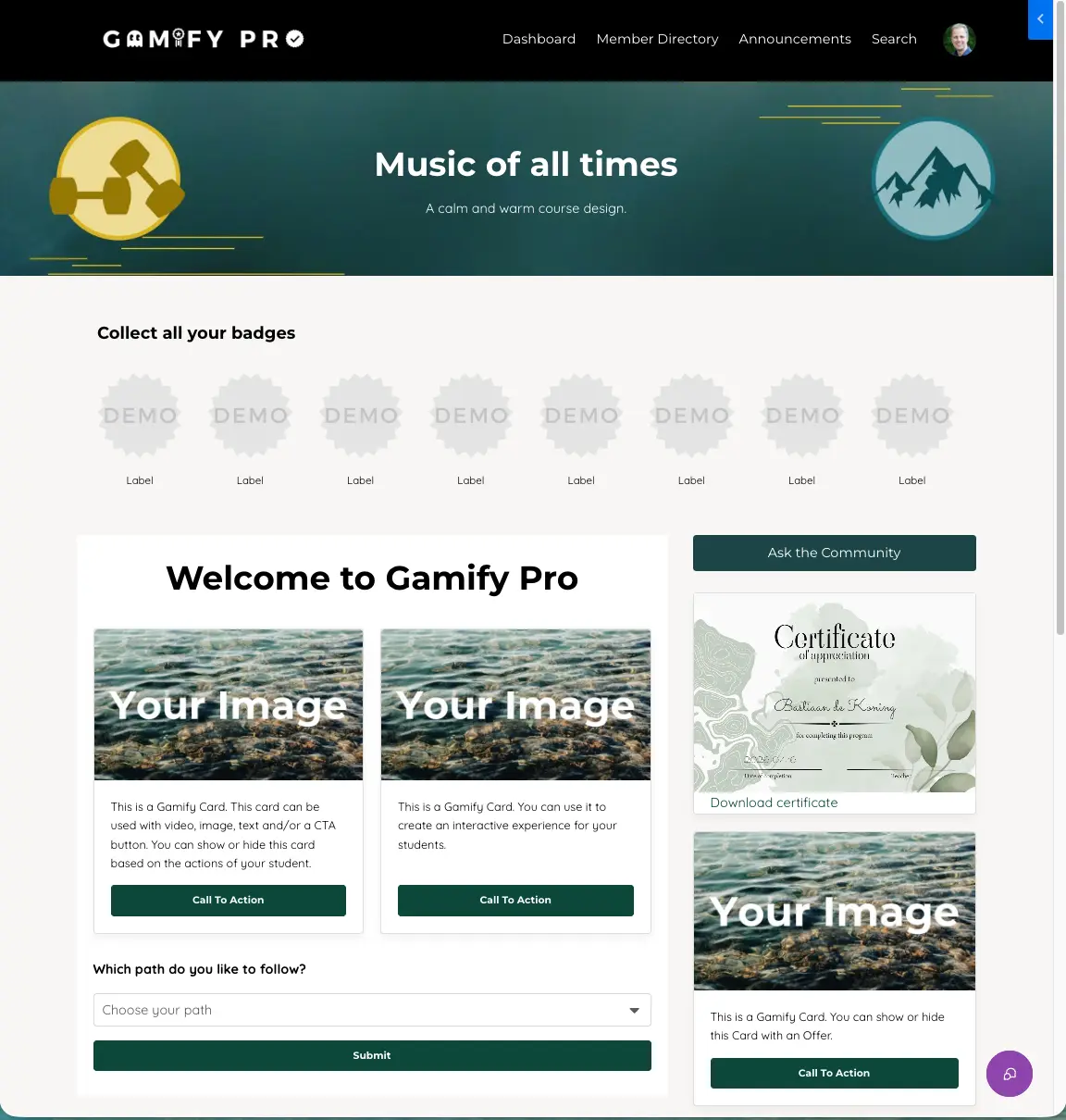
Gamify Pro is the extended version of Gamify Lite. Where Gamify Lite mainly adds badges, Gamify Pro offers many more ways to motivate and reward students during a course.
Think of, for example:
- Badges
- Certificates
- Confetti
- Dynamic gamification cards
- Rewards
- Different ways to make progress visible
You use these elements in various places in your course environment and largely decide yourself how to use them.
A card can appear only once a student reaches a certain point in the course, for instance. A certificate can become available after completing a section. And with badges you make important milestones visible.
The goal isn't to turn every course into a game.
Good gamification mainly helps students see that they're making progress and gives them a nudge at the right moment to keep going.
That's why Gamify Pro is especially interesting for courses where motivation and course completion matter.
GamiFlix: a Kajabi course like a streaming service
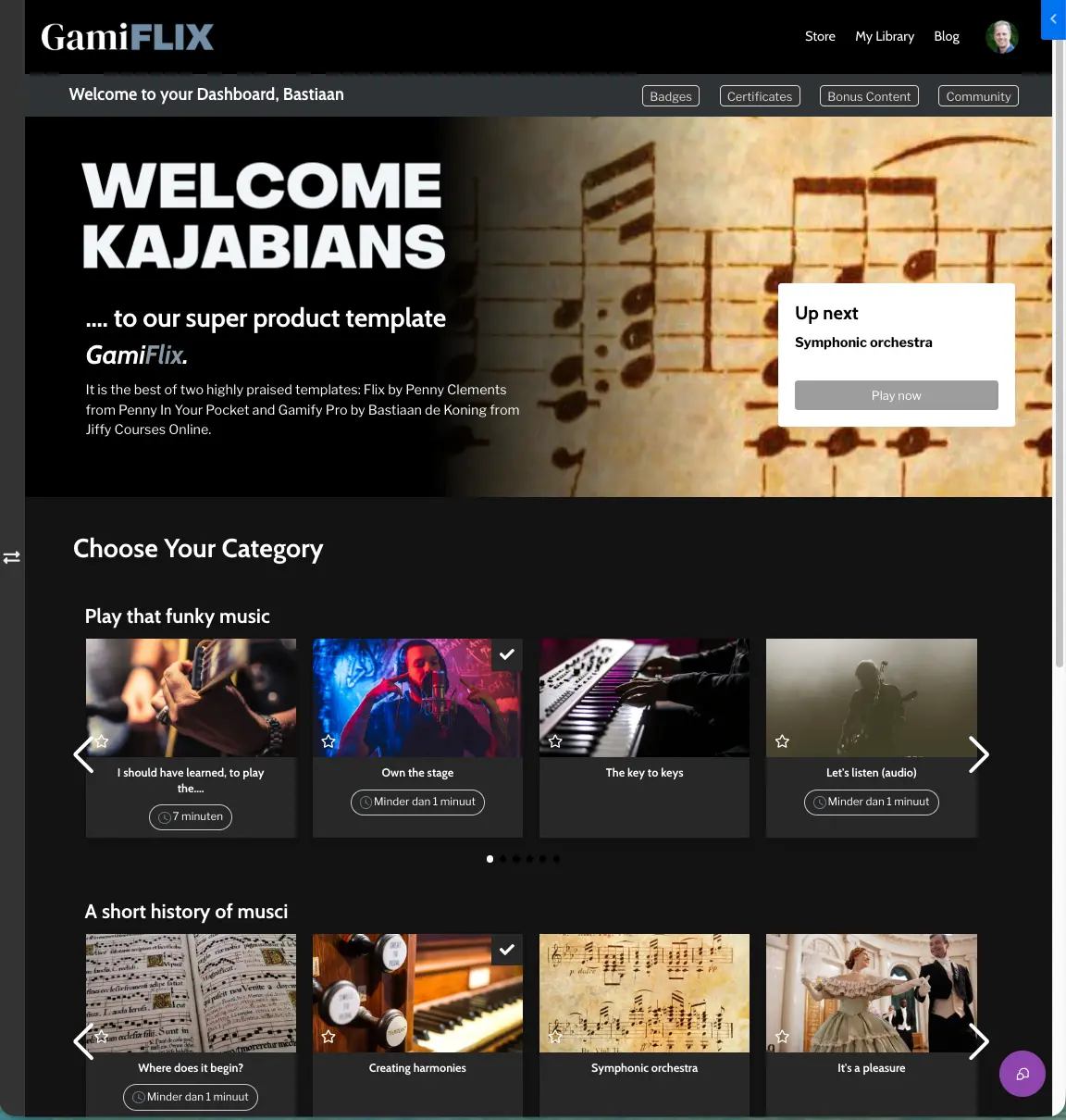
Together with Penny from Penny in Your Pocket, we developed GamiFlix. This Kajabi template combines Gamify Pro's gamification options with a course environment inspired by streaming services like Netflix.
Instead of one long list of lessons, you present content in horizontal collections.
That works especially well when you have a lot of content. Think of a membership with dozens of trainings, a large knowledge base or a course environment that keeps growing over time.
Students browse the offering more easily and discover different types of content.
GamiFlix nicely shows that the structure of your course environment can make a big difference in how students experience your content.
Nexus: a Kajabi course template that follows your student
Most Kajabi templates have one thing in common: every student sees more or less the same course environment.
Whether someone logs in for the first time or has already completed 80 percent of your course: the homepage stays largely the same.
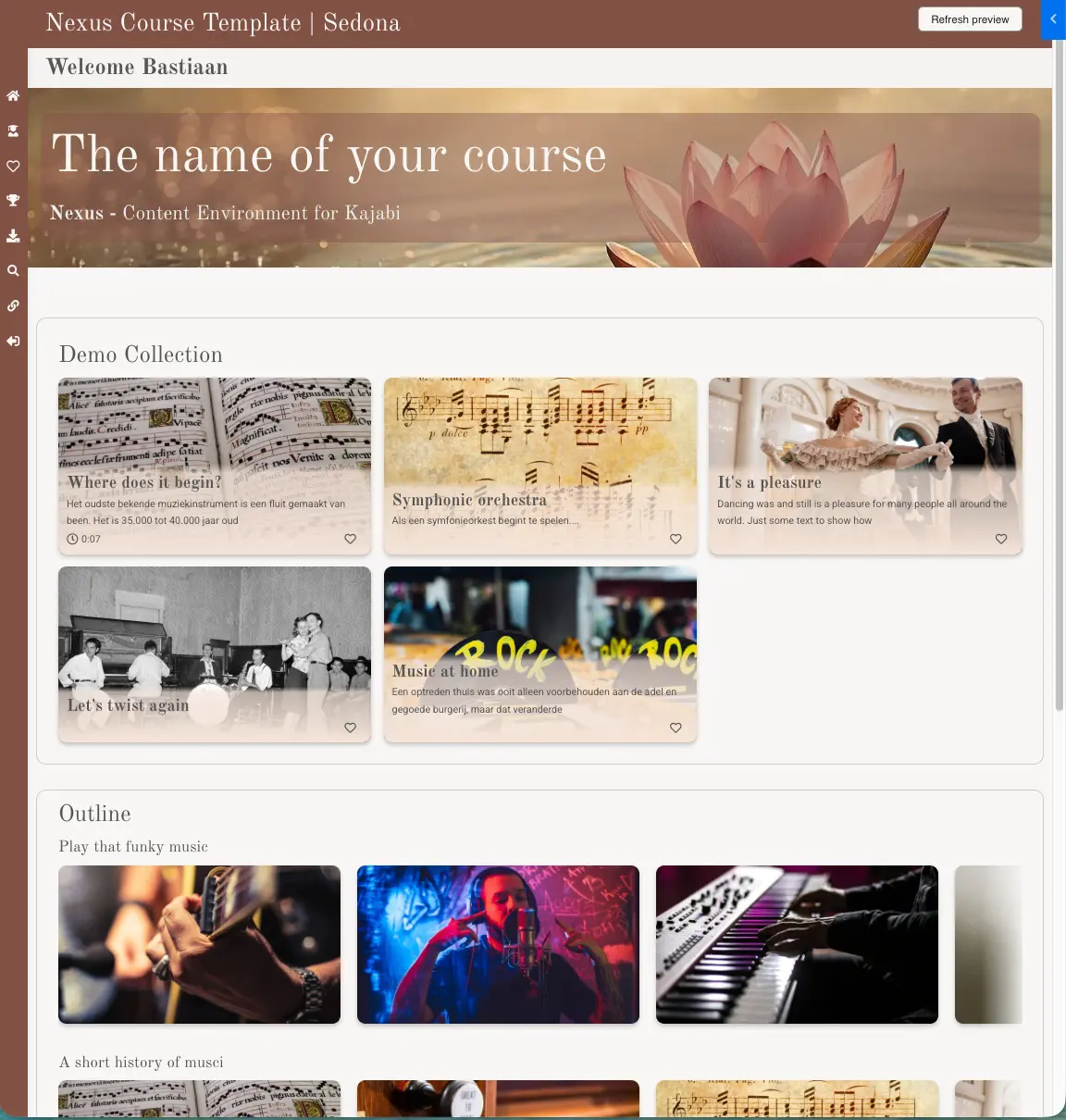
With Nexus we wanted to change that principle. The premise of Nexus is that your course environment adapts to your student's progress.
Compare it to a streaming service. When you open Netflix, you don't get a list every time that starts with everything you've already watched. You see what you can watch next and get new content suggested that's relevant at that moment.
Nexus brings that idea to a Kajabi course.
Collections instead of one long course list
In Nexus you present your course content in different collections.
A collection can consist of, for example:
- Your full course outline
- One specific module
- A selection of lessons
- Featured content
You decide yourself how many lessons you show and how they're displayed.
With a large course, you don't have to put dozens or hundreds of lessons on your student's screen right away.
You start, for example, with three recommended lessons and show a collection with the next relevant content below. Through the full outline, students can always reach all available lessons.
Automatically hide completed lessons
An important difference is that in Nexus you can make completed lessons disappear from a collection.
Say you have a collection of six recommended lessons. When a student finishes a lesson, it automatically disappears from this collection. Over time, different lessons become visible.
Has the student viewed all relevant lessons? Then eventually even the entire collection can disappear.
That way the course environment keeps becoming relevant again for the returning student.
Show content based on progress
Other parts of the Nexus homepage can also be made dependent on a student's progress.
You show certain content only after someone:
- Has completed a specific lesson
- Has completed a module
- Has reached a certain point in the course
That lets you build a course environment that genuinely moves along with your student.
A beginner doesn't have to see all the information right away that only becomes important at the end of the program. And an advanced student doesn't have to pass the same intro content every time.
One navigation for your entire course environment
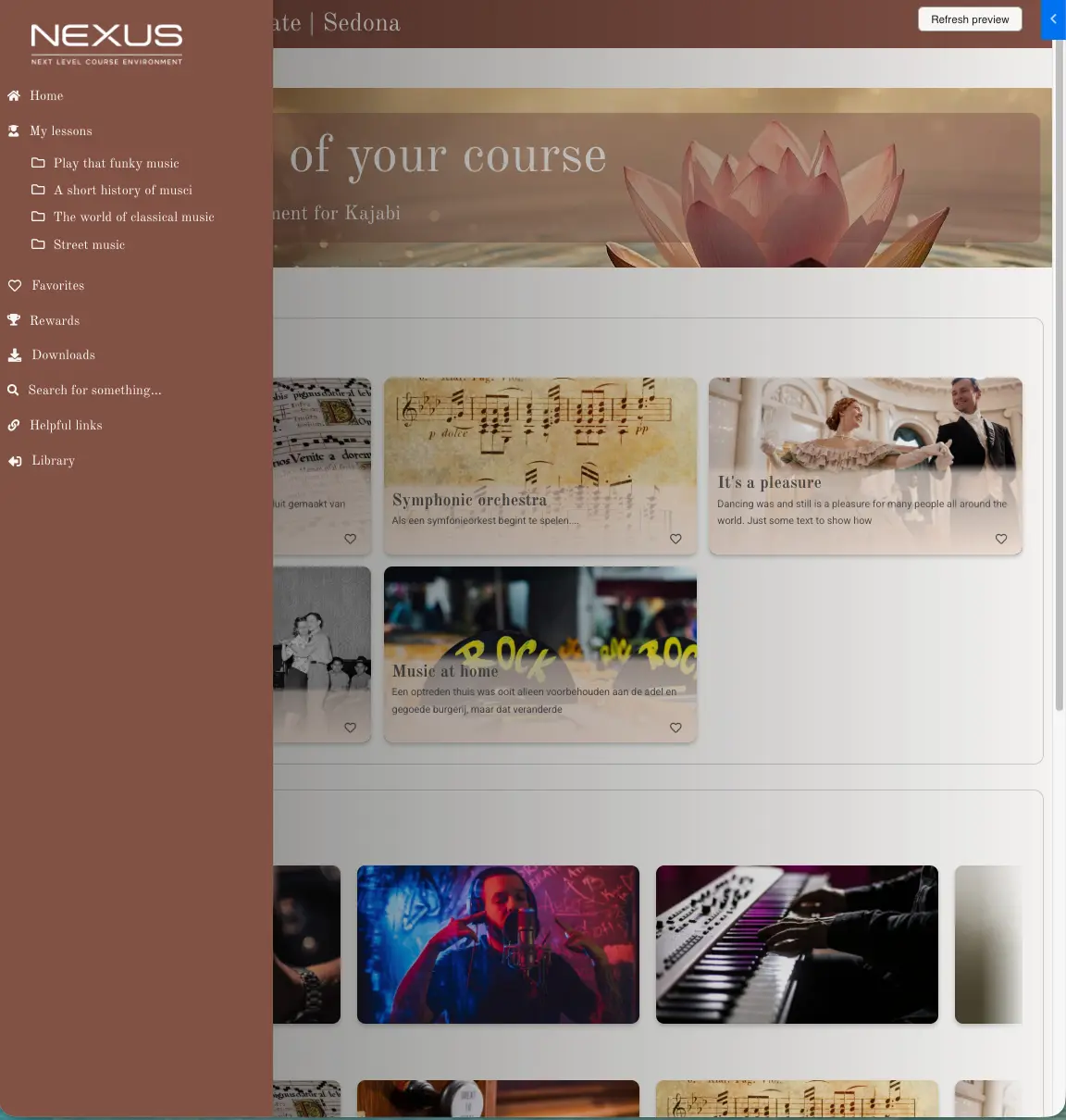
Nexus also has an extensive sidebar where you bring together different parts of your course environment.
Think of, for example:
- Lessons
- Downloads
- Favorites
- Rewards
- Community
- Search
- Handy links
- A chatbot or AI assistant
You decide yourself which parts you use. That way a student doesn't have to look in different places for content, downloads, rewards or other parts of your course environment.
Tip: want to make your individual lessons nicer and more interactive too, alongside the course environment? Then combine Nexus with UpCourse. Nexus improves the navigation and structure of your course; UpCourse improves the experience within each individual lesson.
The possibilities of Nexus go much further than I can demonstrate in a single blog post.
So in the video with this article, I show inside Kajabi how Nexus works. Among other things, you'll see how you set up collections, automatically hide completed lessons, and make content appear based on a student's progress.
Watch the full video about the best Kajabi course templates in 2026.
Which Kajabi template should you choose?
There isn't one Kajabi course template that's automatically the best choice for every course. It depends on the size of your course and how much you want to invest in the student experience.
Do you have a small course and mainly want to start simple? Then the standard Premier template can still do the job fine.
Want a bit more functionality at no extra cost? Then Gamify Lite, Gamify Lite with Sidebar and Sunset are interesting alternatives.
Mainly after a nicer design? Then take a good look at the different premium Kajabi templates offered online.
Do you have a course where motivation and gamification matter? Then Gamify Pro offers many more options.
For large content libraries and memberships, a streaming-style environment like GamiFlix is a logical choice.
But when you want to build a course environment that not only presents your content but also takes each student's progress into account, then Nexus is, in my view, the most complete step forward right now.
Not because every course has to become more complicated by definition. Precisely because a good course environment should make sure students have to search less. They should be able to see what matters to them at that moment.
What is the best Kajabi course template in 2026?
For a simple course, Kajabi's standard template still does the job. For larger courses, memberships and programs where the student experience matters, Nexus is my pick, it combines navigation, collections and gamification with content that adapts to each student's progress.
Try Nexus free for 30 days and install it on an existing course without rebuilding anything.
Frequently asked questions about Kajabi templates
What is a Kajabi course template?
A Kajabi course template determines how your online course looks and how students navigate through it. The template is separate from your course outline with its modules and lessons. That means you can switch templates without rebuilding your course.
Can I change the template of an existing Kajabi course?
Yes. You install a different Kajabi template on an existing course without losing your lessons, modules or course content. The new template mainly changes the presentation, the navigation and — depending on the template — the available functionality.
Which free Kajabi templates are there?
Kajabi offers several standard course templates, including Premier and Momentum. On top of that there are free Hero Made templates such as Gamify Lite, Gamify Lite with Sidebar and Sunset.
What is the difference between a standard and a premium Kajabi template?
A standard Kajabi template offers the basic functionality to display your course. Premium Kajabi templates often offer a more extensive design, and some also add new functionality, such as gamification, different navigation options, content collections and dynamic content.
What is the best Kajabi template for a large course?
With large courses, overview matters most; a long list of dozens or hundreds of lessons quickly becomes cluttered. Templates like GamiFlix and Nexus offer other ways to present large amounts of content. Nexus can also adapt the content to the progress of the individual student.
What is the best Kajabi template in 2026?
For a small, linear course the standard Premier template may still be enough. For courses where gamification matters, Gamify Pro is an option. For large content libraries, GamiFlix is interesting. When you want the course environment to adapt to your student's progress, Nexus is my pick for the most complete Kajabi course template in 2026.
Also check out our full overview of Kajabi templates.