Kajabi Visual Automations Explained: From Individual Rules to Complete Workflows
Aug 17, 2026
An overwhelming list of automations that's almost impossible to keep organized can be a problem.
If you've been using Kajabi for several years, you've probably run into the same problem that we did.
Kajabi Automations allow you to automatically trigger actions such as sending emails, applying tags, granting offers, and managing customer journeys based on purchases, form submissions, or user behavior. Since 2025, Kajabi has introduced Visual Automations, a new way to build complete workflows using an intuitive visual editor instead of relying on dozens of individual automation rules.
On the fast lane? Read the summary!
When you first start using Kajabi, automations are simple.
You might have a form that starts an email sequence, a purchase that applies a tag, or a welcome email sent after someone joins your course. Each automation serves a clear purpose.
As your business grows, however, so does the number of automations. Every new course, membership, webinar, funnel, or bonus adds its own set of rules.

Before long, you can end up managing hundreds of automations that all work perfectly but are nearly impossible to trace or maintain.
For us at Jiffy Courses Online, that number eventually grew to more than 600 automations. This is not because we built our system incorrectly, but because every new product and customer journey required another handful of automation rules.
This is exactly why Kajabi Visual Automations caught our attention as they finally offer a much clearer way to organize and manage increasingly complex workflows.
What are Kajabi Visual Automations?
Kajabi Visual Automations are a new way to build and manage automated workflows inside Kajabi.
Instead of creating separate automation rules for every action, you can now see your entire workflow in one visual diagram. From the trigger that starts the process to every action, decision, delay, and outcome, everything is connected within a single workflow.
In simple terms, Visual Automations allow you to automate onboarding, funnels, memberships, and customer journeys by combining triggers, actions, branches, and wait times into one easy-to-follow process. Rather than thinking in isolated automation rules, you can now design complete customer experiences.

We waited almost a year before doing the switch.
When Kajabi gave us access to the first beta version of Visual Automations in June 2025, we loved the concept. The execution, however, wasn't there yet.
We could see Kajabi's vision: fewer disconnected automation rules, better organization, and a more visual approach to building workflows, yet the first version actually made many tasks more complicated.
Creating a simple automation required significantly more steps than before. Existing automations became difficult to find because of inconsistent naming. Ironically, the feature designed to improve organization made everything feel even more confusing. Within minutes, our test account contained enormous workflow diagrams that looked more like tangled Christmas lights than organized customer journeys.
We shared extensive feedback with Kajabi over multiple conversations, offering suggestions for improvements. Although I appreciated that they were listening, I didn't feel the feature was ready for everyday use.
So we waited almost a full year.
When we reopened our test account recently and explored the latest version, our opinion changed almost immediately. Many of the issues we'd raised had been addressed—navigation was clearer, naming conventions made more sense, and the search functionality had improved dramatically. For the first time, Visual Automations felt mature enough to manage hundreds of workflows without creating additional complexity.
From individual rules to complete customer journeys!
With Kajabi's original automation system, every task existed as its own rule. You might have one automation sending a welcome email, another starting an email sequence, another applying a tag, and yet another sending a reminder if someone hadn't logged in after several days. Each automation worked independently, but your focus was always on the technical setup rather than the overall customer experience.
Visual Automations change that mindset entirely. Instead of asking yourself, "Which automation do I need?", you begin asking, "What experience do I want my new student to have?". That subtle shift completely changes how you build workflows.
Imagine someone enrolls in your course today. Do you immediately overwhelm them with information? Or would you rather send a welcome email first, give them a few days to explore the platform, and only then introduce the next step? Perhaps highly engaged students should receive different follow-up than students who haven't started after a week.
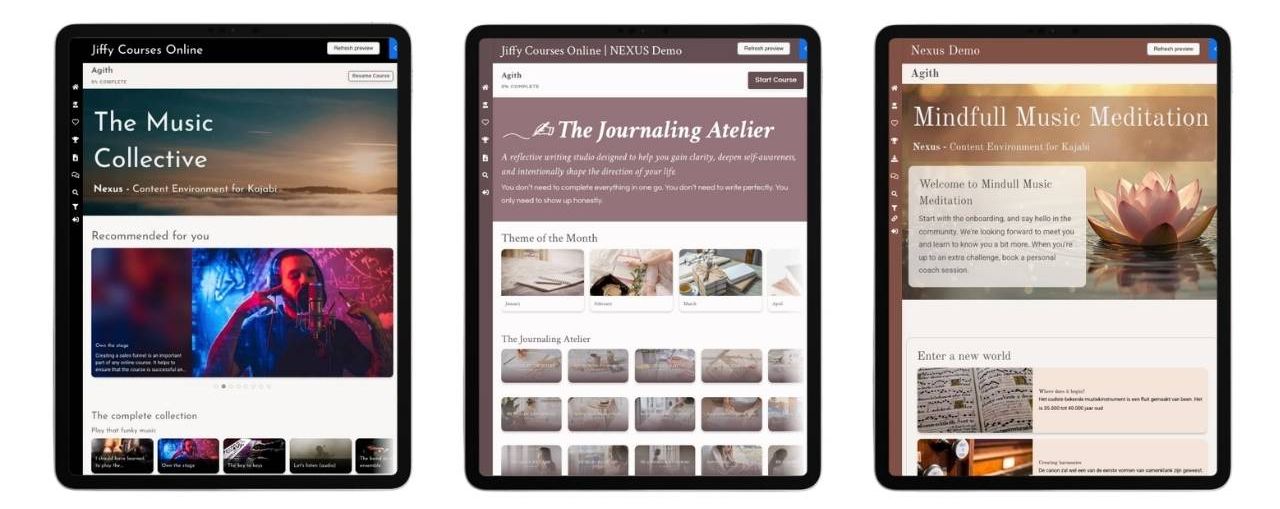
These kinds of customer journeys are now much easier to design because they exist as one connected workflow instead of dozens of disconnected rules. When combined with Nexus, our Kajabi course template, Visual Automations become even more powerful by allowing every student to experience a personalized learning journey.
Kajabi Branches: Different paths within one workflow
One feature we originally had little confidence in was Branches.A year ago, they felt confusing and difficult to use. Today, they're one of my favorite improvements.
Consider a webinar that runs on multiple dates or an intake form where participants can choose different answers. Previously, every possible answer required its own collection of automation rules, tags, conditions, and follow-up sequences. Every new scenario introduced more complexity, making the system increasingly difficult to maintain. Branches simplify this dramatically.

Within a single workflow, Kajabi can automatically determine which path someone should follow based on their answers, purchases, tags, or other conditions.
This becomes especially useful for memberships. Some members may want immediate access to advanced content, while others benefit from a more guided introduction. Instead of building multiple automation systems, Branches allow you to create different experiences within one visual workflow. Since you can actually see every path on screen, understanding and maintaining your automation becomes significantly easier.

Kajabi Wait Nodes: Finally, better control over timing
One of my favorite additions is Wait Nodes.
Several years ago, we worked with a client selling a detox program that always needed to begin on a Monday. The timing mattered because weekends created completely different habits than weekdays.
Setting this up with the old automation system required a combination of tags, Zapier triggers, delays, and offer management. It worked for a while, but maintaining it was a nightmare.
With Wait Nodes, the process becomes remarkably simple. Someone purchases the course today and Kajabi immediately sends a confirmation email thanking them for their purchase and letting them know the course starts next Monday.
The workflow then pauses automatically. On Monday morning, Kajabi sends the login email, grants course access, and begins the onboarding sequence. What once required complicated workarounds can now be achieved using a single visual workflow.
Wait Nodes also make email marketing much more personal. Rather than sending emails based solely on elapsed time, you can align communication with specific days of the week, allowing messages like "Weekend Homework" or "Monday Check-in" to feel much more relevant.
What does this mean for our Kajabi templates?
Visual Automations become even more valuable when combined with Jiffy's Kajabi templates, including Gamify Lite, Gamify Pro, GamiFlix, and Nexus. Previously, features such as badges, certificates, learning paths, and dynamic dashboards required numerous separate offers and automation rules. These were simply the only way to build those experiences.
With Visual Automations, many of those individual actions can now be grouped into one organized workflow. You can reveal new learning paths, unlock certificates, adjust dashboards based on student progress, or hide content until specific milestones are reached, all within a single visual process.
For Nexus users, this becomes even more powerful. Nexus already helps guide students through a clearer learning experience. Combined with Visual Automations, you can create highly personalized customer journeys with far less technical setup than before.
In an era where learners expect quick answers and personalized experiences, these improvements are incredibly valuable.

Are Kajabi Visual Automations worth using?
A year ago, we deliberately chose not to switch to Kajabi's new automation system.It simply wasn't ready.
Today, that's a very different story. The improvements Kajabi has made over the past year have transformed Visual Automations into a feature we're genuinely excited to use. The combination of visual workflows, branches, triggers, and wait nodes makes automation easier to understand, easier to build, and much easier to maintain.
If you've been hesitant to make the switch, now is probably the right time to explore it.
One important thing to remember is that once you migrate to Visual Automations, you can't switch back to the old automation model. Fortunately, based on where the platform stands today, we don't think you'll want to.

Ready to turn plans into progress?
Explore your next step below 👇

Gamify Pro
Build a powerful, motivating Kajabi course with badges and Learning Paths.

Nexus
Deliver a high-end, custom-built learning environment for your students.

Gamified Course DFY
Let our partner build your entire gamified Kajabi course for you.